Featured Post

Avoid Quarter 2 Blues: Save Time with a new Google Classroom

For those of you ending the quarter, now is the time to create a new Google Classroom for each of your classes. Organizing new classes will...

Friday, January 20, 2023

Should students sit in rows?

This week's blog post by teacher author Dave Stuart Jr. tackles a question that has been making the rounds more recently as people compare the classroom environment of compulsory rows that COVID protocols demanded to other seating arrangements: should students sit in rows?

Spoiler alert: His answer is, it depends.

In the post, he discusses two seating arrangements: one, is paired rows, with students always having a seating partner, but more or less in columns and rows, and the other is desks grouped into four, all facing each other. He makes the point that by comparison, rows provide less distraction during independent work and a clearer view of the board during direct instruction. And of course, research and common sense supports this.
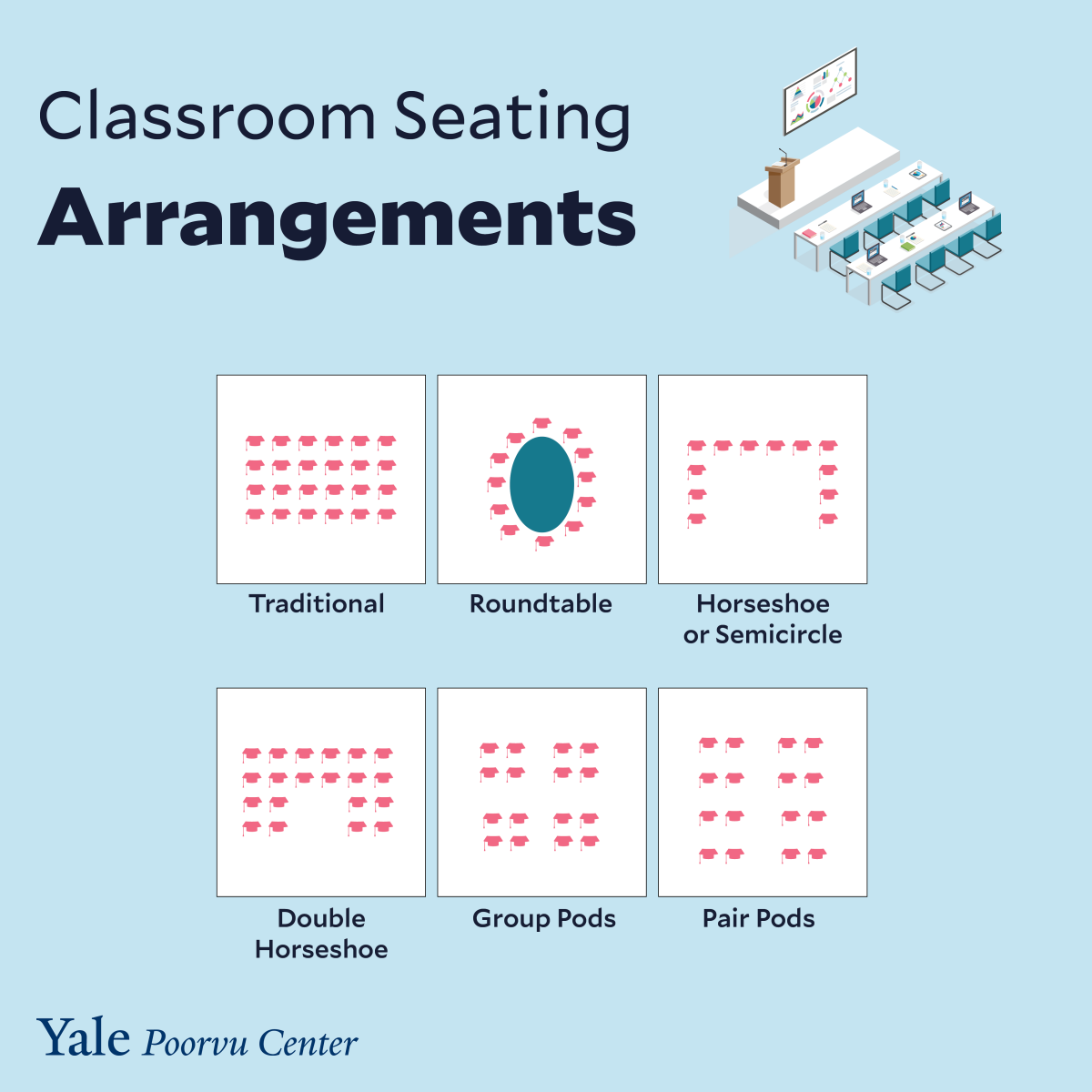
But the post, while pointing out that other seating arrangements may be more beneficial in situations requiring more collaboration, fails to explore any other options, such as the horseshoe or circle, and research, suggests that "'the most effective way to organise a classroom is to be as flexible as possible with teachers regularly moving furniture to suit the activities' (Maddern, 2011) – for example, Harvey and Kenyon (2013) found that students tend to prefer more flexible seating arrangements.

It won't surprise any teacher that research has shown that classroom seating impacts "student learning, motivation,  participation, and teacher-student and student-student relationships (Fernandes, Huang & Rinaldo 2011)." What might be more surprising is that recent research suggests that the set-up of the classroom actually impacts the TEACHER and her pedagogical choices as well; according to the Poorvu Center for Teaching and Learning at Yale

For example, a classroom with seating affixed and directed toward a podium at the front of the room results in instructors spending more time in lecture and students demonstrating less active engagement. In contrast, roundtable seating arrangements lead to instructors and students engaging in more active learning activities, resulting in improved learning outcomes (Brooks 2012). 

So what is the answer? It depends. If you are delivering direct instruction, then a clear, unobstructed view of the instructor is best in that moment. However, if you want students to collaborate, seating them with other students is key.

And even with traditional desks, teachers can try to get the best of both worlds. Recent research on elementary seating arrangements supports the horseshoe seating arrangement with flexible seating (i.e. chairs and triangular desks that reconfigure easily). For those with "traditional" desks, the pair square (alternately known as the pair pod) is a style of flexible seating arrangement that gained renewed attention: essentially, students are seated in pairs, but each pair has a pair in front of or behind that they can turn and work with to make a group of four.

What is clear is that if you are thinking of changing up your seating, think about your goals and how your physical space can match your pedagogy. Do you want to create more space for students to Think-Pair-Share? To debate? To collaborate? To create? Then rows might not be the way to go.

Tuesday, January 10, 2023

Mindset, Behaviors, and a Routine

January is a turning point for new and veteran teachers alike. For some, the end of a term brings new classes. For others, this is the point at which a lot of hard work really starts paying off.

What can make the difference is mindset--both the mindset you hold (i.e. it's going to get good!) and the mindset you project (i.e. you guys are going to be great!). One key ingredient that helps both these mindsets is praise.

While we've written in praise of praise before, we really can't praise the power of behavior-specific praise enough. Both research and experience tell us that it is more effective to build positive behaviors than to control negative student behavior (Strain & Sainato, 1987). However, some people have said that it is tough to give more praise:

  • "I don't want it to feel fake."
  • "Kids don't want to be called out."
  • "I just don't know what to praise."
And research shows that especially by middle school, kids get good at knowing when praise is insincere. So how do we praise sincerely AND frequently?

It got us thinking about how can teachers can find it easier to give behavior-specific praise. Our thought, and the thought of educators like Todd Finley, is to make it part of a routine. You might use a clipboard with a praise checklist to keep track of who is praised and how often, but how do you know what to praise?

This is where you, the teacher expert in the room, come in: what behaviors do you value? If you want students to enter or transition around the room quietly, consider putting quiet movement on your checklist for the week. If you want students to raise their hands to share, you might put that on your checklist for the week. And as for academics:


If you are looking for a planning sheet, this resource is great for developing your initial plan for behavior specific praise. TLI has made a template that you can choose to copy and adapt for this purpose. If you want help designing your own behavior checklist (or adapting something you currently use in the classroom to include praise), contact us!

Thursday, January 5, 2023

Technology Hacks, Especially for Littles: Use Audio, Video, and Pictures

A few teachers have mentioned a stumbling block for using powerful formative assessment tools are that their learners need more supports. Lots of written directions won't help emerging readers. Having to type a lot won't work for students still learning keyboarding. 

But oftentimes, these roadblocks can be overcome! The benefits of using the technology are great, and with a few tricks or hacks, teachers can speed up the process and reap those benefits. Here are a few, designed especially for younger learners or other students who might need more supports:

Issue: You want to use an online tool to assess students, but students don't have the reading (or perhaps typing) skills needed to complete the online assessment/activity quickly.

Idea #1: Flip

Flip, formerly known as Flipgrid, is a free tool that allows students to respond to prompts--either written or video--with audio or video. It also allows for students to give responses to the recordings of their peers, if the teacher chooses, and for teachers to give recorded feedback. Flip includes quiz tools as well as many other ways to engage students in learning. 


Flip has Immersive Reader built in, which can read text out loud, and Flip has enabled more supports to help younger learners record their voice and/or video response. According to these PreK-2 tips, teachers can use QR codes to support student sign-in to topics. If this sounds like something you are interested in, TLI would love to help you realize your vision!

Idea #2: Google Forms

Google Forms are one example of a powerful tool for formative assessment. Google forms allows you to insert video, which is great for sharing audio and visuals. It also allows you to use pictures as answer choices, which is especially powerful if you just need students to give a prompt a Thumbs Up or Thumbs Down. You can also use the MOTE chrome extension to easily add audio to quickly record yourself OR to have students record themselves giving a longer answer.

Idea #3: Mote

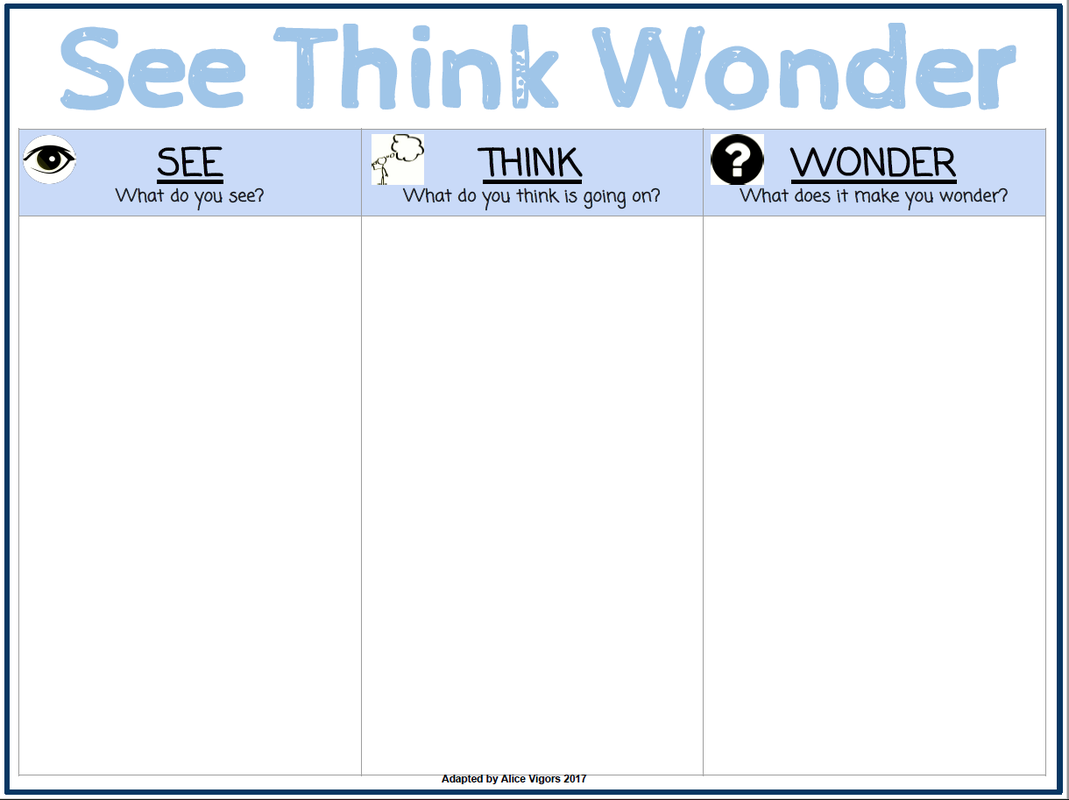
Note that you can also use MOTE to allow students to record themselves in other Google documents, like slides, as in this example of a See-Think-Wonder activity (click to access the demonstration and slide template). Although GPS currently only has the free version of MOTE, which limits recording, the tool has a lot of possibilities for quick and easy audio recording.

BONUS: You can use the MOTE extension to create guided reading experiences (which might be faster and easier than creating audio with media creation tools like Screencastify). The video below shows how this audio tool can be used in 4 different ways to support learners, with the focus on upper elementary or secondary learners who might need more supports:


What tools do you use to make assessment more accessible and flexible for your learners? What challenges do you foresee having to work through that others might have solutions for? Let us know in the comments.

Tuesday, December 13, 2022

Timers, Trauma-Informed Teaching, and Tiny Steps

December is "the silly season," when kids get silly for two reasons: 1) excitement for the holiday break and 2) dread of the holiday break.

Our students who have experienced or continue to experience trauma often have a different set of feelings about the holidays. The break is often unpredictable, lacking the routines, resources, and other safety found in school. Students experience more stress and in anticipation of the break, they are more likely to show the 4 Fs of stress response: Fight, Flight, Freeze, or Fawn--the last term implying the student clings tightly to the teacher and is overly dependent upon that praise. 

On a recent Melissa and Lori Love Literacy podcast, Dr. Melissa Sadin spoke in praise of timers as a strategy to help students who are being extra dependent or needy. In the example, the hypothetical student, Doug, can't/won't start his assignment because he perceives that he NEEDS the teacher by his side. The teacher then deploys a timer, starting small (i.e. 2 minutes) and asks Doug to take a small step, like writing his name on the paper and reading the directions, promising to return when the 2 minutes is up to check in. When the 2 minutes is up, the teacher returns and praises the progress. This timely behavior-specific praise (another proven strategy) gives the student the reassurance they need in a small dosage, while allowing the teacher to work with others. Then the teacher asks Doug to take another step, and sets the timer for 2 more minutes. This chunked process builds trust, as it reassures the student that the teacher will come back. This helps develop student executive skills, and eventually, will allow more time to be planned between check-ins.

This "predictable positive attention" strategy (Minahan, 2014) to create safety and discourage students from seeking attention through less desirable behaviors is reinforced in the research, as shared in the 2019 ASCD article on Trauma-Informed Teaching Strategies [Warning, clicking this link will cost you one of your free articles for the month! You can ask TLI for a PDF if you want to save up]:

During independent work time, if a teacher says to a student "Great work! I'll be back to check on you," the student has no way of predicting how long they need to wait—and from past experience they know that the teacher may forget to return altogether. Using predictable positive attention, however, the teacher can say, "I am going to check on you in 10 minutes," put a timer on the student's desk, and add, "Come tap me on the shoulder when the timer goes off." If the teacher has many students in the class that could benefit from this, she could transfer the strategy to small groups: "I will check on this desk group at X time."

Research shows that using timers, agendas, and other predictable structures helps all students. Not knowing what is coming next can put anyone on high alert, so providing visuals (as with slides or ClassroomScreen displays that allow for multiple timers) and previewing any changes to the normal routine can help.

As you navigate the middle of the year, think about how you might use timers to help structure your class and support individual students. Sharing in the comments and with your colleagues is a great holiday gift!

For more background on Trauma-Informed Practices, check out this Edutopia video:


Friday, December 9, 2022

Pass the Vocabulary

This week, in speaking about the importance of building knowledge and teaching vocabulary as part of the science of reading, we were reminded of a favorite activity of students and several GHS English teachers: the "pass the vocabulary" story. Here's how it works: 

  1. Using a given word list, each student would take a blank piece of paper and write the first sentence(s) or a story using one of the words correctly. (TIP: Have students highlight or circle the word, to make it easy to know what was used!!)
  2. After the given time (1 minute), they passed the paper to the next person.
  3. The next person would write the next sentence(s) of the story, using a different vocabulary word.
  4. The process of writing and passing would continue until time came for all the words to be used.
  5. At the end, students would take their stories and join a small group, which would share the stories for peer review for meaning, revise, and then share out the "best" story from the group.
Students LOVED this activity, as the stories often got very silly by the end, and it was a great challenge. They also loved that they had a chance to discuss and revise the stories, as it rewarded their growth. And teachers, well they loved that students had to discuss, correct themselves, and collaborate in a low-prep activity that the students themselves helped evaluate. 

So, aside from being fun and easy, why is this valuable?

The science of reading makes it clear that pre-teaching vocabulary is important; students need to build knowledge, especially knowledge of words, to be more proficient readers. But this applies beyond students learning to read, and continues as students read to learn across the content areas.

Learning science also shows that memorizing a list of vocabulary words and their definitions for a quiz--especially a matching or multiple choice quiz--isn't a great indicator of how well students have learned words. Most often, students cram, storing these words in their short term memory, but not making the connections that encode them into their long term memories in ways that make the learning stick. Students, especially struggling students, need a dozen or more exposures to words and their meanings to fully learn them.

Research suggests that these things help students with vocabulary building:

  • Explicit instruction of words and their meanings increases the likelihood that young children will understand and remember the meanings of new words.
  • Higher frequency of exposure to targeted vocabulary words will increase the likelihood that young children will understand and remember the meanings of new words and use them more frequently.
  • Questioning and language engagement enhance students’ word knowledge. This can include retrieval practice, scaffolding from low-demand questions (i.e. meaning) to high-demand questions (i.e. how would you use...?)
Now, this means that students can't just start by writing stories. Teachers need to make time for explicit instruction, be it reviewing the words with students in context, or reviewing the roots or related words, or to support students in making Freyer Models or semantic maps/word webs. But beyond that, students need time to work with the words.

But what if I don't want my students writing stories.

Another group activity that was relatively low prep was a card sort. Have student groups make index cards (or cut out card sets) of the vocabulary words. Then, have students organize them into 3-4 categories. This could be categories you provide, or categories the students create. They then have to explain why the words belong together, and how they relate.

Here are some other ideas:

  1. Pass the Parcel: Review vocabulary in whole group or small group with a game-like atmosphere with some bags full of vocabulary.
  2. Paper Plate Match Game: Have small groups cut paper plates in half, and write the word on one half and on the other, write a definition, synonym, antonym, example, etc. (whatever serves your purpose). Then have them shuffle them up and find a match.
Want more? Check out these ideas from We are Teachers and Gifted Guru.

Friday, December 2, 2022

But What if It Works?

There are a lot of misconceptions about personalized learning, like that this means we need to make a plan for each student each day. In reality, personalized learning can often be accomplished when we find ways to give students voice and choice. 

But this is easier said than done.

As the district moves ahead with blended learning and student-centered instruction, we have heard many teachers express very real concerns about using models of instruction that call for more student agency and choice regarding the pace, topics, and methods of learning. 

  • What if students don't do the work? 
  • What if we have a technical glitch?
  • What if they can't finish in time? 
  • What if they lost their Chromebook charger?
  • What if I don't get the time I spent making instructional videos back with less time reteaching in the classroom?

But also, what if it works?

In a recent Podcast (which you can access with the accompanying blog post at this link), John Spencer shares:

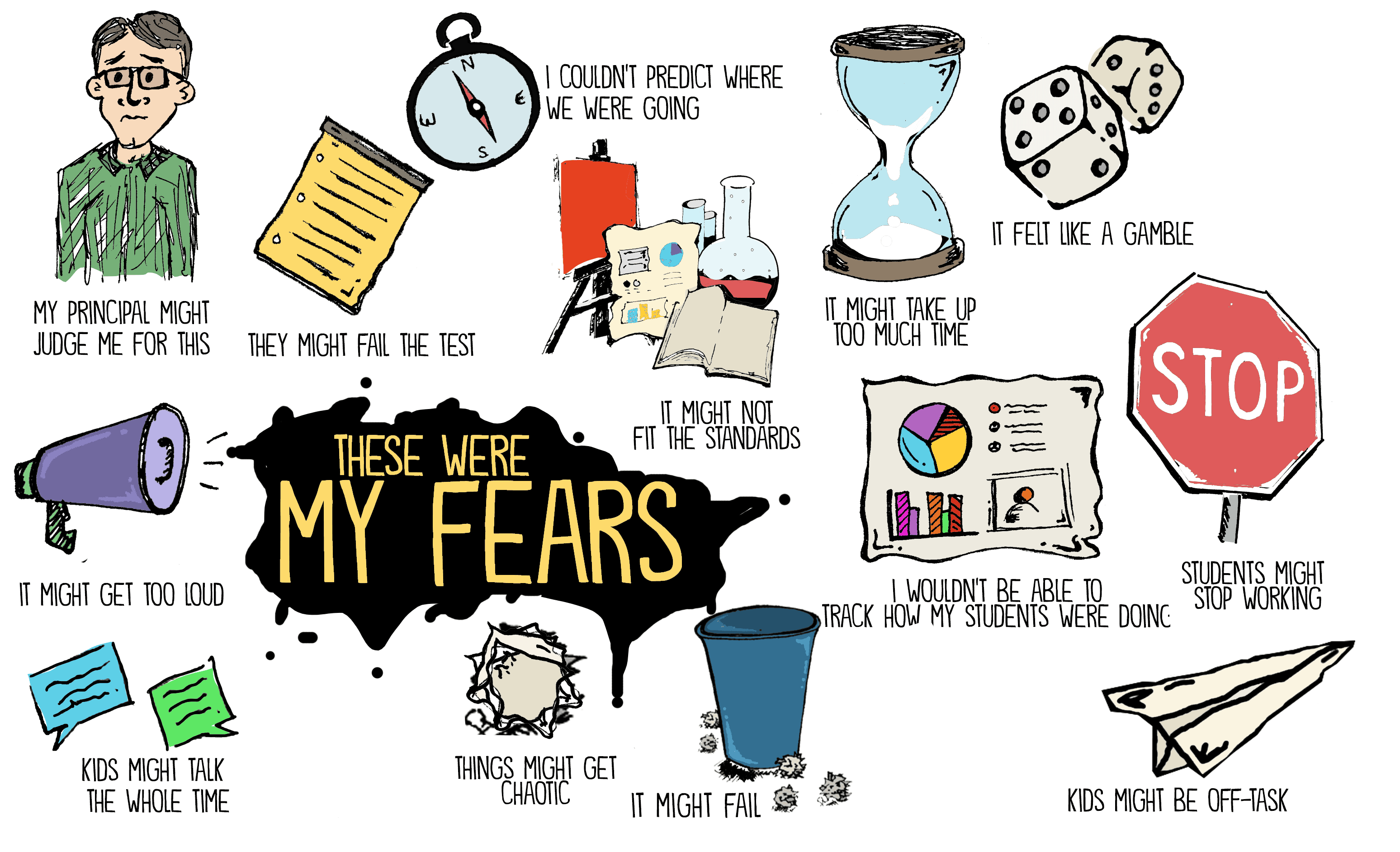
Whether it’s a Calculus teacher in Australia or a first grade teacher in Hong Kong, we all have a certain level of fear of letting go of control. I’ve written before about the fears I had in empowering students with voice and choice and I thought I would share these fears here again. What about the noise level? What about classroom management? What will the principal think? Will we actually cover all the standards? How will I assess the learning?
But, honestly, each of these fears was a subset of a larger question. What if it fails?
As a new teacher, I was so consumed by the question, “What if it fails?” that I never even asked, “What if it works?”

What does this mean for my classroom?

Whether you are trying a hands-on, inquiry/project-based approach to a topic or you are thinking about how to change up your classroom structure, keep in mind that there is power in TRYING. While every minute with our students is precious and we want class to be perfect, we can give ourselves grace as we grow.

Positive risks are necessary for personalization.

There are so many reasons to take positive risks and use "versioning" in our classrooms: 

  • We model for our students that it is not only okay, but normal to try new things and accept some level of failing as part of the learning process. 
  • We grow through the process, and we find better ways of "doing" the work of teaching that sustain teachers and meet the need of students.
  • Great, unforeseen opportunities often arise from risk-taking.

So start with one project. See how things go. Share with students if you perceive things aren't going well, and have them help brainstorm solutions for version 2.0 of the assignment. For as Robyn Shulman shares in "10 Ways Educators Can Make Classrooms More Innovative":

By giving students real-world problems to tackle, fail and try again, we are telling students that their voices matter.


Wednesday, November 16, 2022

Dicebreakers: Using Virtual Randomizers to Foster Collaboration

At this week's TLI Committee Meeting, the team highlighted ClassroomScreen as a tool worth using. While we've written about ClassroomScreen before, recent discussions with teachers have highlighted a few needs that this tool can meet with very little effort from teachers. (For more, check out the updated TLI EdTechResource on ClassroomScreen.)

But the real story is that in checking out the ClassroomScreen twitter account, the team stumbled across an engaging idea with many ready-made templates that is EASY to use to foster student collaboration, critical thinking, and bonding: dicebreakers.

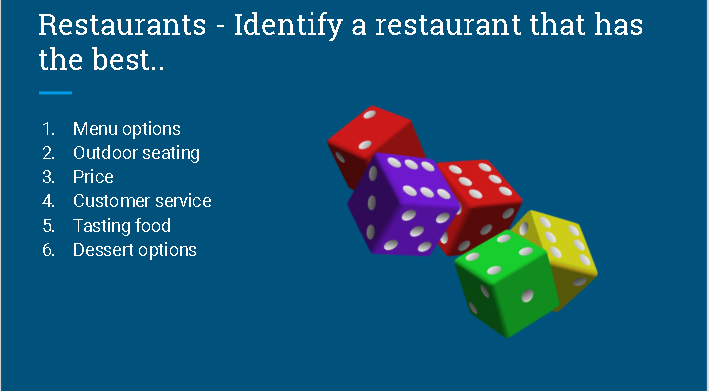
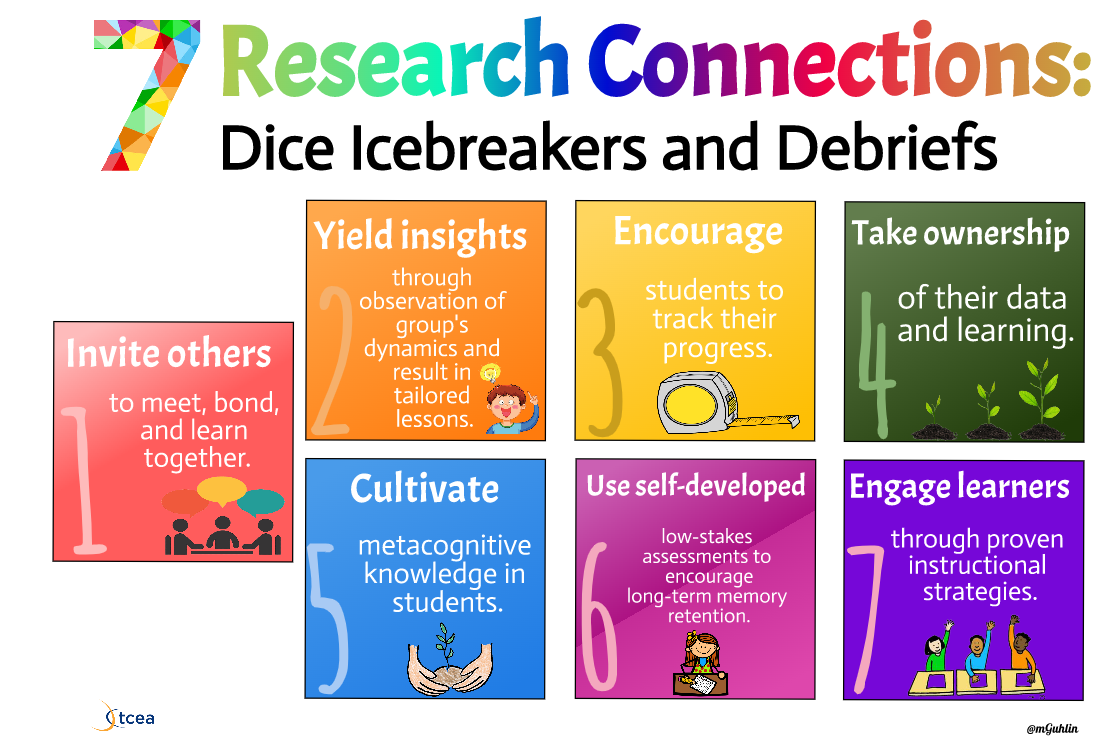
There are many icebreaker resources available online that use dice to spice up getting-to-know-you activities (like this free template), but the TCEA blog showcases many other ways that dice can be used to get students talking and working together. Essentially, dicebreakers allow students the opportunity to brainstorm and talk through their ideas about different parts of a topic without having to discuss the same concept. Using physical or virtual 6-sided dice, this activity provides six different, yet related, talking prompts that encourages in-class discussion. This could be unrelated to content, as with a traditional icebreaker, or it could be related to your business unit!

But the TCEA blog highlights other uses for dice activities that include ideas for debriefs and ready-made templates. Check out their extensive blog post and see which ideas you can use in your classroom next week.

Want more ideas for using dice in the classroom? Check out this post for using giant dice for whole class fun and this WeAreTeachers post for additional ideas to using dice to spice up ELA, math, and even music lessons.


Friday, November 4, 2022

Jamming with Jamboard

If you haven't had much experience with Jamboard, it is basically an online whiteboard that is part of the Google suite. It works well on your Smartboard, Chromebooks, and other devices, and you can learn more about it here.

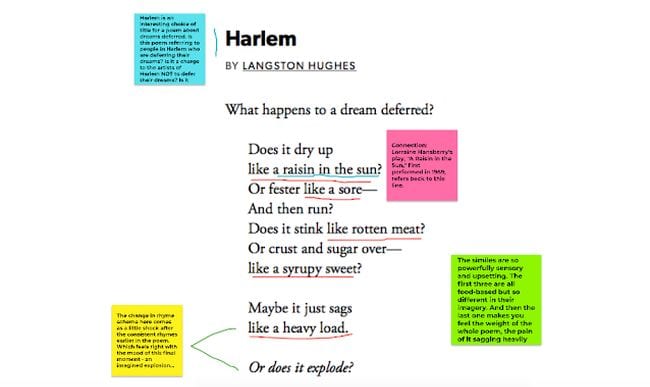
If you use Slides for many things, as I know many teachers do, then it would be logical to wonder why Jamboard would be worth learning and integrating. One compelling reason is the drawing functionality. Unlike slides, the drawing tools on Jamboard allow for easy annotation:

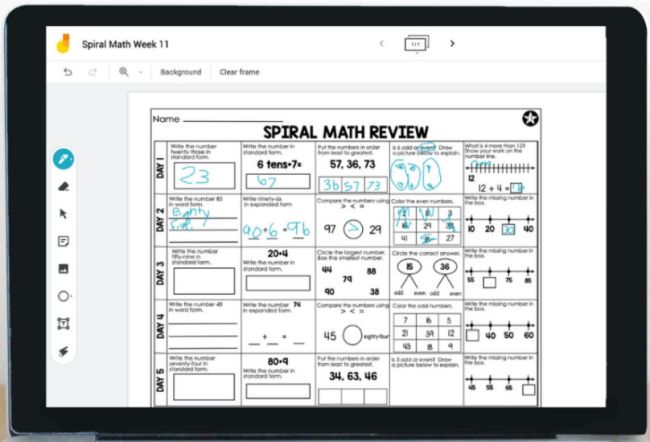
While this many not be compelling without a touch screen, if you have a Smartpanel, this allows you to take notes on a worksheet or picture without much more effort than pasting a screenshot or scan on the board:


Jamboard also allows you to keep adding new screens to a Jam, so if you wanted or needed to save and upload all the notes from class to Google Classroom, this process becomes a snap.

While many teachers don't recommend having the whole class on one Jamboard at the same time (no version history = less accountability), it is great for small group collaboration or organizing quick teacher-directed whole group activities.

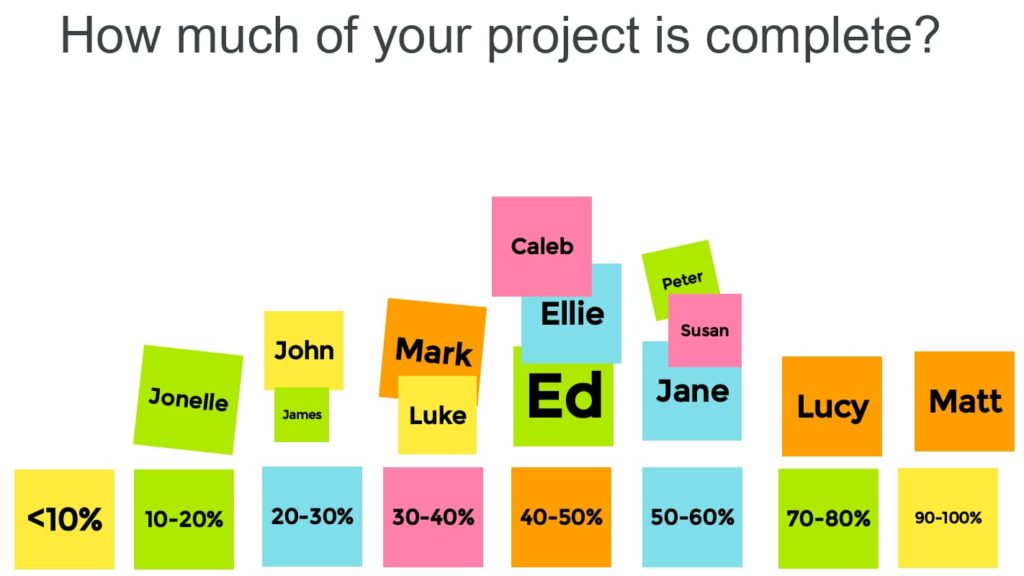
The sticky note function makes it easy for students to quickly contribute and organize ideas. This idea from Chromebook Classroom is so simple, yet it is useful for teachers as formative assessment data:


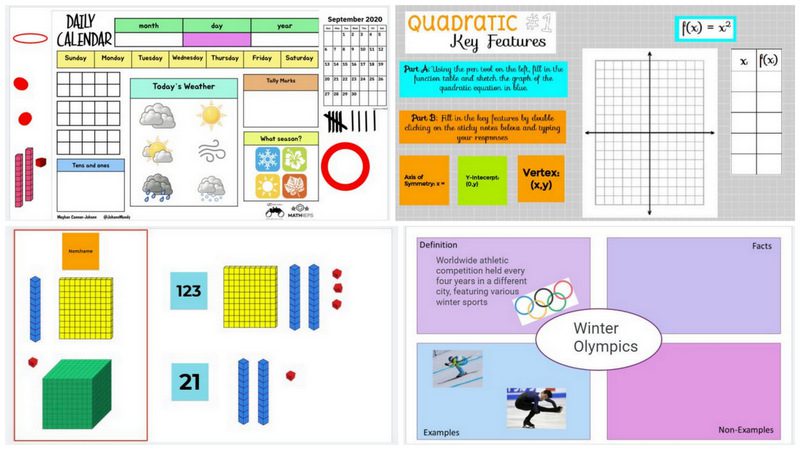
Jamboard makes it easy to manipulate objects on a screen, and if you check out this post from We Are Teachers and this post from Ditch That Textbook, you will find over 40 ready-made templates and ideas that will increase collaboration, manipulation, and accessibility. Why reinvent the wheel when someone has shared a Freyer model template or already made number cubes and calendar items?

If you are looking for something new, or you are just looking to save some time, check out the Jamboard templates that people are sharing.

If you want more ideas, you can also check out this free ebook from DitchThatTextbook with 10 Jamboard lesson ideas and templates.

Friday, October 28, 2022

WOW your Parents, Streamline your Practice

Parent-Teacher Conferences are coming up fast, and with so many options for connecting with parents, it helps to think about how you can use technology to streamline your preparation and leave your parents impressed.

Scheduling

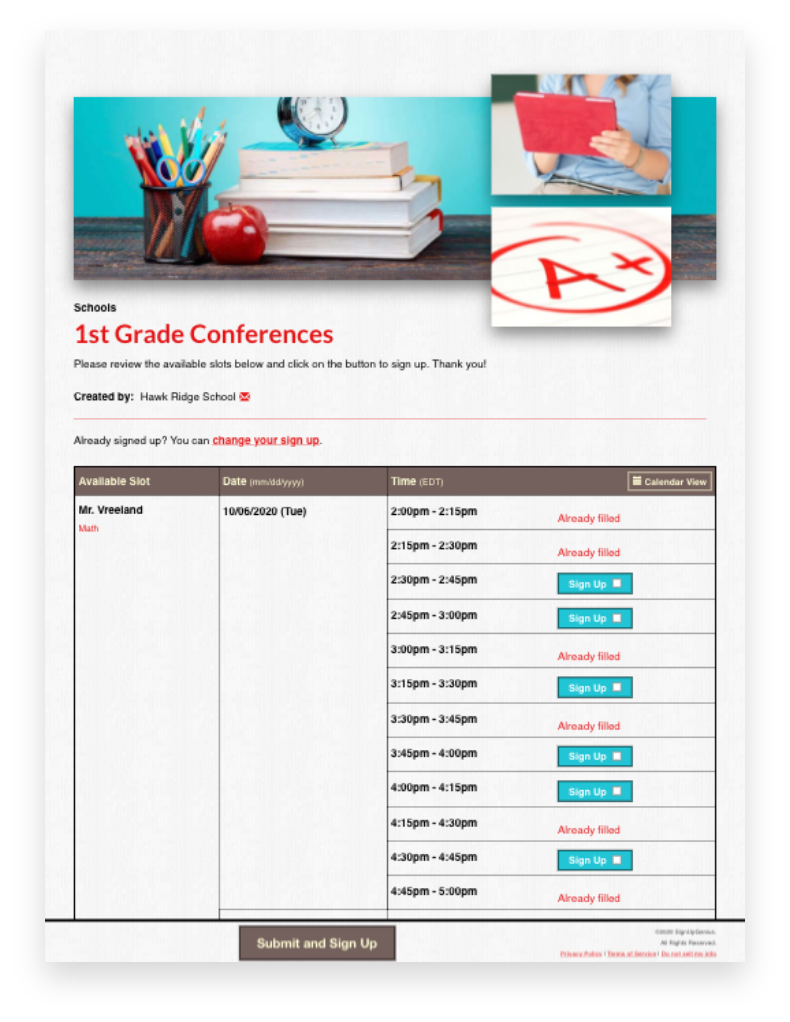
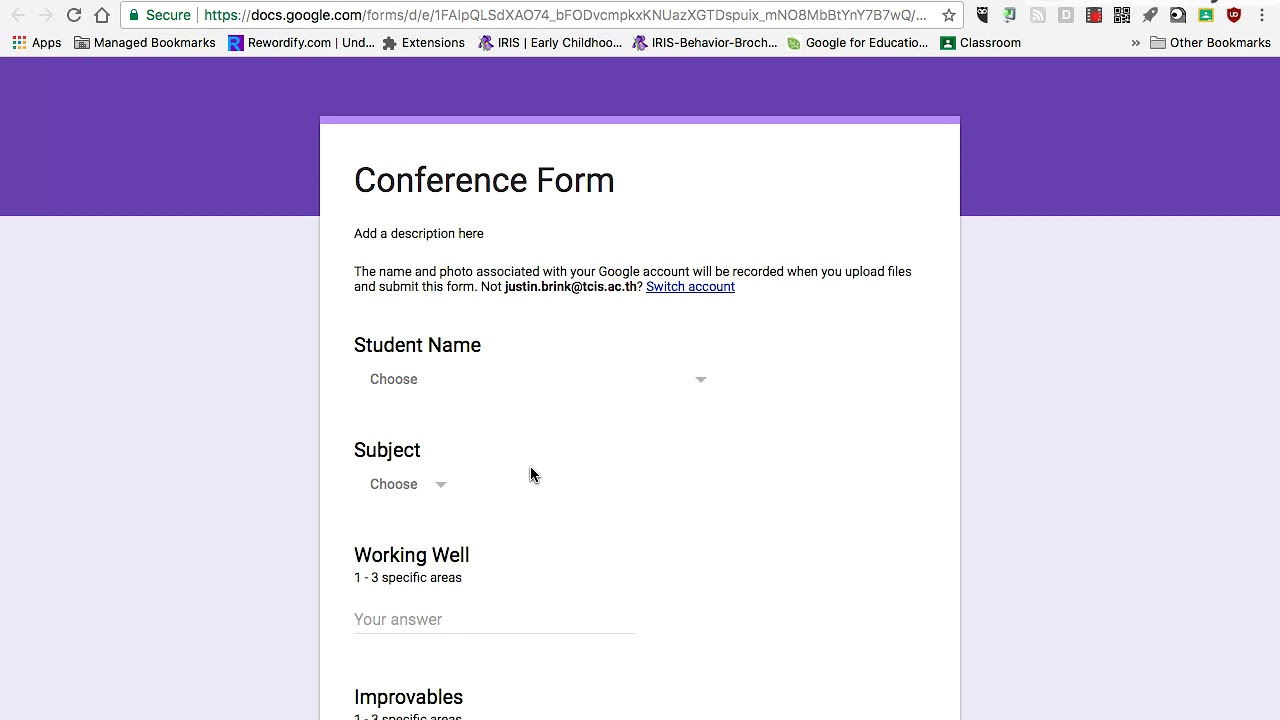
While Sign Up Genius continues to be a favorite for scheduling parent conferences, you can also use Google forms and Google calendar to set up appointments and share Meet links if parents are joining virtually. (For more on using Google forms with parents, see our previous post.) 

Online scheduling is great because it eliminates the "middle man" problems associated with sending papers back and forth. Additionally, using online appointments makes it easier for parents (and teachers!) to schedule, especially if they are coordinating conferences with multiple teachers. And of course, parents can always call/email and you can help them use these systems!

(As another a time-saving tip, printing out your electronic calendar or sign up is a great way to streamline sharing your conference log with your building administrators.)

Showcasing your Classroom

While open house is the best opportunity to allow parents to "see" what their kids experience every day, not every parent can make it. In advance of conferences, you can share insight into your class using digital tools. Several teachers have done virtual tours (check out this example from GHS!), which are not only great to record for parents, but also work great as an introduction for new students. 

And, if you want to empower your students and share the load, have a student tour challenge that asks your kids to collaborate to create a tour and/or compete to see who creates the best tour video.

Showing Student Work

Parents LOVE seeing what their students are doing. While some teachers may already have students creating Google Sites as part of a portfolio, others may simply have a paper folder of work. Some teachers have students complete a Google form or document that allows the students to choose what information they want to share with parents about their year so far. This is a great way to promote student self-assessment/metacognition and to increase parent engagement.

Some teachers have joined meetings with their phones, in addition to their computer, to have another camera to show offline work. One other great idea for sharing this with parents who are meeting virtually is to use a document camera. Especially when you have little learners who need to process a lot on paper, this allows you to talk about what you are seeing in student work with a visual reference for parents. (Click here for directions on using document cameras in Google Meets, or contact TLI.)


Supporting Parents

Some parents have a tricky relationship with school, whether because they are new to having students in the system, they have a language barrier, or they are carrying their own trauma from school. You might consider sending them preconference questions or materials to help them prepare.


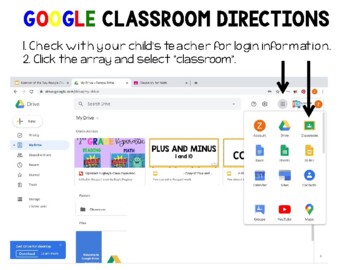
Especially as students transition to new schools and class set ups, parents may need more support to take advantage of your communications. If you use a tool like Remind to send messages home, Google Classroom for updates, or even if you use Infinite Campus to share progress, parents may need a set of directions or additional support to access  this. Be prepared with this during conferences, either by creating a follow-up email that you send with links or by having links to this important information that you can put in the chat to walk a parent through the process. If TLI can help direct you to the "best" tutorial videos for parents, let us know!

For more tips on preparing for Parent-Teacher Conferences, especially for new or nervous teachers, check out the Edvocate and the Resilient Educator.

What other tips do you have for great conferences? Add them to the Google Jamboard!

Friday, October 21, 2022

Unburdening the Brain & Shifting the Cognitive Load

There's been A LOT written and talked about recently in regards to "cognitive load"; brain science is showing us more about what does and doesn't work for learning, and the impacts of trauma (like a certain pandemic) and still being felt by our students.

A recent podcast from Truth for Teachers, "Help students do more with less effort using cognitive load theory", explains:

Cognitive load theory includes intrinsic, germane, and extraneous loads. Intrinsic load is the complexity inherent in the content. Instructional designers recognize that most of this load cannot be mitigated. Content load should not be confused with task or assignment load, which are addressed in the next two types.
In germane load, learners are integrating new information into an existing schema. Designers tend to increase this load since it helps ensure learning makes it to long-term memory. Finally, there is extraneous load, which designers seek to eliminate as much as possible. These are the other weights our students carry: distractions (environmental or internal), redundancy of content, and so forth that interfere with deep learning.

(For a more detailed report on what teachers need to know about cognitive load, check this out.) 

What does this mean for us? In short, we want to plan to support the germane load and decrease the extraneous load so that students can spend most of their energy on the intrinsic load. 

What does this look like in class?

If I'm introducing a new competitive review game for some recently taught content, I might not be affecting the intrinsic load because the students should know the content. In fact, frequent, short review games as retrieval practice are good for learning! 

However, by adding a new game and making it competitive, I've potentially increased the extraneous load because of stress AND not taken advantage of the germane load, as students are expending more energy learning something new than perhaps they are on reviewing.

Does this mean we never use a novel approach? Of course not--that would be boring! However, it might mean that I should go with tried and true games FIRST when planning, or that before I use a game like this for content, I introduce it with something fun and low stakes so that students can learn the rules before "it counts." 

In short, the more we rely on routines and solid practices for activating prior knowledge and scaffolding, the more we help our learners focus on learning! 

For more practical tips, this recent Edutopia article also outlines "How to Reduce the Cognitive Load" includes several tips for reducing the extraneous load and supporting the germane load with scaffolds. 

Let us know what stood out for you or what you want to know more about in the comments.

Friday, October 14, 2022

Little Learners Login


As many GPS teachers are pioneering playlists and other blended learning models, it has been so encouraging to see our littlest learners logging in to take advantage of technology.

However, the reality of getting 20-25 kids logged into a Chromebook, an iPad, or even a program isn't easy.

But that's just what teachers are doing! As noted in a recent spotlight, GPS Elementary teachers have laminated student login cards that use QR codes for ease of use, and Clever or Google single sign-on has been a game-changer.

Logging in

Blogger and Kindergarten teacher Della Larsen shares 4 tips for getting students logged in to Google Classroom faster in this older, but still good post with really useful tips for supporting students with keyboarding.

Educator and author Christine Pinto has a whole page devoted to supporting little learners with Google apps, including sections for logging into Chromebooks, tablets, etc. AND she has a large templates section on her blog for Google docs you'll love to share with students. (For example, check out these adorable Google sheets/graphing activities that match with seasons!)

Next Steps

If you are ready to "level up" your plans for blended learning with littles, there are more and more great resources being published daily. One that is highly recommended is a Podcast from the Modern Classrooms Project. While lengthy, this Kindergarten teacher shares ALL about her trials and triumphs as she moved her little learners from teacher-centered learning to self-guided learning using "Routines, Procedures, and Scaffolding"!

This echoes a lot of what is written about in this blog post from Edutopia, "Implementing Blended Learning With Pre-K Students", in which a Pre-K teacher shares how she uses technology and station rotations to have more time with small groups and meet the needs of her learners.

Check out a few of these teachers in action with these videos:

Making Self-Paced Learning Work with Younger Kids

Leah Frederick's Modern Classroom:


Looking for more--or doing something amazing? Share in the comments below!

Friday, September 30, 2022

🧠 Emojacognition!

Using Emojis for Student Self-Assessment

We talked a lot this August about the power of student self-assessment and metacognition. This strategy is so simple and so powerful, but it draws its power from regular practice.

So how do we make this easier to incorporate into your routine?

Use emojis! (And templates.)

https://shakeuplearning.com/blog/emoji-assessments-for-any-classroom-suls0168/
While many of us used emojis during the pandemic for SEL check-ins, emojis are so much more than faces. Sites like emojicopy.com let you search for icons that help emerging readers AND proficient readers quickly identify the choice they identify with, whether it be a stop sign🛑, a bright sun☀️, or big eyes ðŸ‘€!

Emojis can draw attention 📢 to ideas and more quickly communicate with a variety of learners.

Teachers in Kindergarten use emojis to support blended learning for emergent readers, along with audio and video.

Teachers of English Language Learners use this as a way to scaffold a "write-pair-share" conversations about their weekends. (You might want to give a table of emojis students can pick from to avoid inappropriate fruits!)

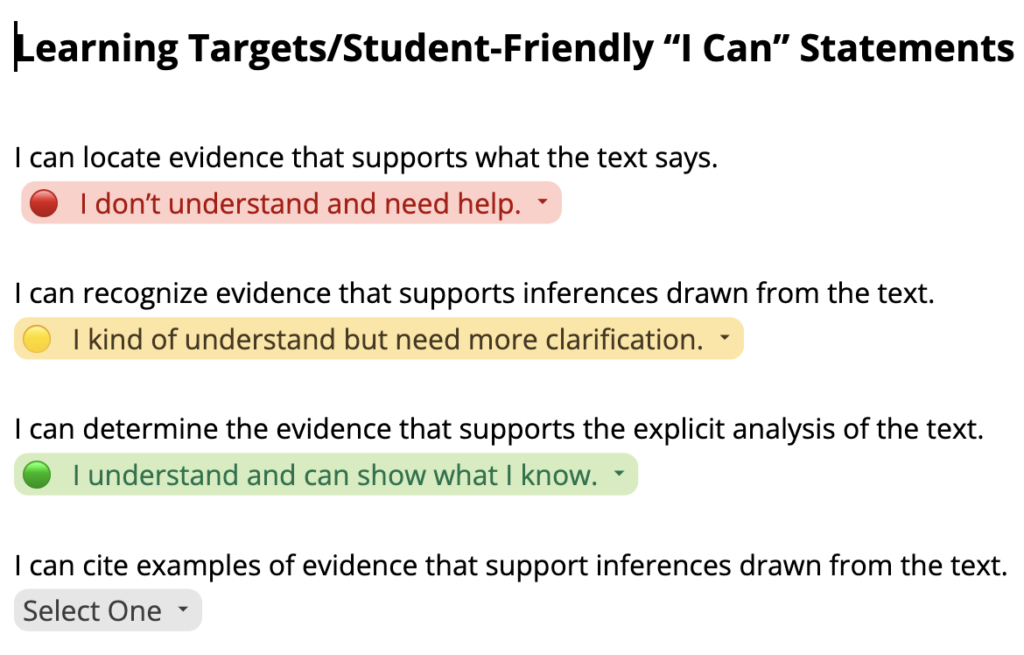
If you are looking for a digital exit ticket 🎫, you might draw inspiration from this doc template.

You can assign this to each student in Google Classroom with "Make a Copy for Each Student," and students can use the drop-downs you customize to answer. You can use different colors and symbols to help students quickly reflect on their learning or how well they met the student-friendly objectives for the day. (For more on using drop downs in Docs, check out the linked video!)

You could also use a Google form Exit Ticket with emoji or picture responses for reflection.

 (Click the link above to create a copy of a template with some pre-made options). The advantage is that you get a quick visualization of the data, showing which students did and didn't understand and supporting the development of student groups.

There are so many ideas for using emojis for student thinking and feedback. Let us know in the comments if you are using it!


Friday, September 23, 2022

The Genius of Genius Hour

What is Genius Hour?

According to NCTE,

In the Genius Hour model, instructors allocate a portion of class time—often the 20 percent that gives the approach an alternate name (20% Time)—for student exploration of a self-selected and/or given topic. Students turn to an array of sources in the course of their explorations and consider the topic from a wide variety of angles before synthesizing all of their research into a central understanding. This culminates in a final product, project, or other such artifact, that is shared with the class and potentially the larger school community. …

But an hour is a long time...

so, how can we possibly take the genius of genius hour and make it work for us in LESS time to further personalized learning?

By making a little time for inquiry.

This will undoubtedly look at little different at each grade level, with different structures and supports.

How would this work?

In elementary school, inquiry might be a station that students are able to rotate into once a week, or perhaps an option for students during WIN block. Inquiry might be very guided and on a particular topic, as this kindergarten teacher shows, or it might be a little more independent: students can use grade-level resources (reading, video, or simulation) curated on Destiny Discover, which is curated at GES (with resources like PebbleGo!), GMS, and GHS, or teachers might provide source selections on different topics related to class learning.

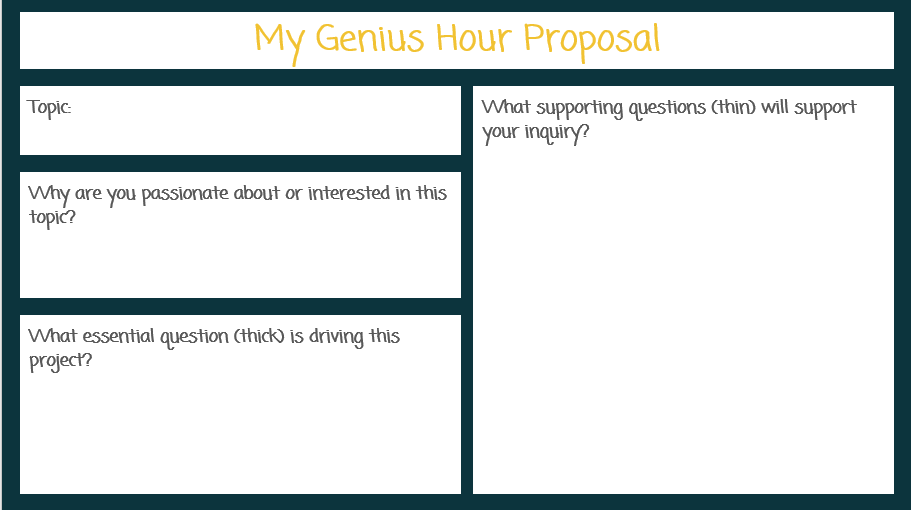
Documentation of learning can take different forms and be as long or short as the student can provide. Alice Vigors shares the idea to give a Google slides template for students to use to "Blog" about what they are learning; using Mote or Screencastify (which we subscribe to!) could allow students who struggle with writing to record on the slides...or perhaps students create a Flip post that explains in 1-2 minutes what they learned during their inquiry that day. It might even be an annotation of a paper that students take a picture of and share to Google classroom!

Secondary students might also have research as a station or use WEB or SIB time to pursue inquiry! GMS and GHS students can use Noodletools (See your Library Media Specialist to show you this cool tool!) to easily keep track of and share their learning. 

Melissa Kruse, keeper of the Reading and Writing Haven blog, shares 6 Ways to Differentiate Research Paper Lessons that might spark additional ideas for secondary teachers how providing time for research can help teachers reach individuals and small groups at their different places and paces. 

However, this research need not lead to a paper--students might simply present their learningstudents might create TED Talks, or students could create a Google site.

There is so much research behind the benefits of embracing inquiry and so many resources for implementing genius hour--reach out to us if you want to create your own plan!

Friday, September 16, 2022

Templates for Teaching

On a recent Truth for Teachers podcast, Marguerite Redelfs shared how she uses templates to save time AND support deeper student learning. Perhaps this is a no-brainer for some of us, but it can be worth remembering that there are a lot of ready-to-use structures out there to make teaching not just easier to prepare for, but also better for deep student learning.

Brain research supports the use of using and reusing "standardized" approaches to tasks or topics, as the familiarity with the process increases students abilities to focus on the new learning. For example, if we introduce a new review game to students, they spend as much if not more of their mental energy on learning the game as they do accessing the content. Thus, playing Blooket to review at the end of each week or unit allows students to focus on the learning and not the rules of the game.

Likewise, using Google Slides or Google Jamboard templates for Visible Thinking Routines that you can use over and over is not only a huge time-saver for the teacher, but helps students focus more on the product than the process.

Using templates for hyperdocs or other lesson organization structures is just smart. The time YOU save on creating something from scratch can then be spent on other activities that support student learning.


Friday, September 9, 2022

Start with a Vision for your Classroom


There was quite a bit of talk in education circles over the summer about how new advances in VR and in the development of the "metaverse" would impact education. Will this be a way to connect students to people and places they would never otherwise see--or will it be a gimmick?

We'll have to wait to see, but it did get us thinking about the renewed interest in visualization. 

Visualization, imagining things at their very best or mentally (or virtually) rehearsing what you want to see or do before you actually do it, has been proven to have a powerful impact on performanceOlympic athletes use it. Business executives use it. And more and more, educators are using it too.

Visualization is a brain booster, impacting memory, planning, and control. And creating and staying focused on a vision is a great way to meet your goals.

As we start the year, it is worth taking some time to visualize your ideal classroom

  • What are the students feeling? How do you see this in the way the students are behaving?
  • What does the learning look like? What are students doing? Where are they?
  • What will the teacher be doing? What is the lead learner's role?
  • What academic and social/emotional results are evident?
Brainstorm or take note of what you see. Then identify the 3-5 elements of your "vision" that you want to focus on every day as you set your goals. 

When you plan your lesson, you can keep these elements in front of you. When you reflect on class that day, you can think about how it aligned to your vision--and what you might want to shift to make that vision more of a reality.

You could even try making a vision board. Jennifer Gonzalez recently shared how teachers are using vision board to plan units (it's very cool), and this speaks to the power of keeping this "vision" at the metaphorical or literal front of your classroom, as well as the power of involving students in creating the vision.

What is your vision for learning in your classroom this year? 


Tuesday, June 14, 2022

Professional Learning for Sustainable Teaching

Many educators have shared that this summer, they just need a break. And "unplugging" is absolutely one important part of self-care. 

But for others, summer is a time more akin to an athlete's off-season, a time of rest and rejuvenation, but also a time to think and plan ahead.

And if we want our regular school year to be sustainable, having the mental and physical space to make plans for our teaching can be vital.

One inspiring read, for those who want to let their minds wander, is Catlin Tucker's recent blog post "Could Doing Less in Education Give Everyone More?" The takeaway: think about what is on your plate that you can remove. As you think about what you typically do during the year, ask the question: "Do I have to?" and focus only on what is most essential.

A helpful resource for this is the Modern Classrooms Project. This model is all about MASTERY-based, self-paced, blended learning, but we love the approach of thinking of assignments as "Must Do, Should Do, and Aspire to Do." If we focus carefully on those things that we must do, then we can feel good about that baseline, and even better when we exceed it. MCP has a free online course that is FULL of resources, and several GPS teachers are taking advantage of summer scholarships to take the advanced mentorship.

This approach also helps teachers think about how to empower learners more and increase engagement. Teaching students to be more independent and given them the space to do the work allows them to lead their own learning. For more on this, Paul Emerich France has a 5 minute read that will spark your thinking.

Finally, if you are looking to dive into some other, more specific professional learning, whether small or big, check out the GPS Summer PD choice board, modified from one created by Ditch that Textbook.

Whatever learning or reflection you participate in, celebrate the fact that you supported students through this challenging school year. Enjoy your summer!


Friday, May 27, 2022

End of the Year Technology Clean Up

It's hard to believe the school year is drawing to a close, but given that Chromebook collection is fast approaching for students, there are things for teachers and students to have on their collective radars now to ensure a smooth end of the year AND set you up for a smooth start to next year!


1. Prepare to Archive and Otherwise Secure your Google Classrooms 

Your Google drive will be FILLED with student files if you don't return work. If you've been holding on to student work all term (or all year), now is a good time to return those files. This will save your Google drive from clutter and help you find things faster in the future.

  • This Teaching Channel blog post walks you through the process and includes a helpful video tutorial!
  • One additional tip, for those of you worried about securing assignments for academic integrity reasons, you may also opt to unenroll students from classes. This blog post will explain and walk you through the process.

2. Support Students in Organizing their Google Drive

Once you return work to students, you could give students the opportunity to create a portfolio for their families OR students could organize their work into folders for school applications, Vision of the Graduate reflections, or any number of other reasons.

3. Organize Your Files without Creating Additional Clutter!

  • Use versioning to name this year's file without making copies that clutter your drive.
Instead of making copies, go into the Version History and name the current version. This way, you can have multiple versions of a test, assignment, handout, etc. that is customized based on your group of students, semester, etc. And the great part? You can go back and forth between named versions without losing any of the versions!

  • Place shared files in a shared drive--your team or department will thank you!

Tuesday, May 10, 2022

PBJ is PBL?

My daughter is obsessive and picky about her peanut butter and jelly sandwiches. As I was putting just the right amount of peanut butter on her lunch, listening to a podcast, and thinking about project-based learning (PBL), it occurred to me that with this sandwich, I might just have a project on my hands.

You see, many teachers of writing have done some version of the peanut butter & jelly sandwich writing activity. (I used to do a version called "How to Eat an Oreo.") The gist is to model how "bad instructions" can lead to confusion (i.e. smearing jelly on a nose, instead of on bread), while clear and specific instructions lead to perfection.

While this is certainly a fun activity, most educators would say it doesn't rise to the level of project-based learning (PBL). We often hear that PBL has to have certain steps or rules, like an authentic audience and outside experts, and making a PBJ just doesn't cut it.

But who gets to say that isn't PBL?

PBL Works shares that:

Project Based Learning (PBL) is a teaching method in which students learn by actively engaging in real-world and personally meaningful projects.

About 15 minutes into a recent podcast, PBL expert Trevor Muir shares that his own first grade son's experience crafting his dream house as part of class showed him that PBL is flexible, as "real-world authenticity" can vary a lot based on the students in the classroom. 

For example, if your child is very, very picky about how her PBJ is made--lots of jelly, cut into squares, arranged in a circle on the plate, etc.--then that child will have a greater sense of ownership than a student who is allergic to peanut butter or who doesn't eat bread. Likewise, students interested in food science might want to investigate what it is about the PBJ that makes it such a popular combination of flavors, or experiment to see if other PBJ applications are as popular.

The key is helping to make the learning address or solve a problem or questions that is meaningful and relevant to YOUR students. Often times we have elements of this in our classrooms already, and framing our planned activities with a question or giving students opportunities to own a topic can make the difference. The GHS Biology team made a similar shift two years ago, taking a project they would normally do at the end of the unit and making it the driving purpose of a unit: as students explored their species, the lessons the teachers taught about evolution were made all the more relevant.

There is so much research behind the power of PBL that it is worth the try. Feeling like you have to be "perfect" before trying it or that students can't handle it ought not to stand in the way. Students can learn just as much, if not more, from a failed experiment as an epic project, and as a teacher, you get to model the same humility and growth mindset that you want to foster.

Think that your unit would be more interesting if centered around addressing a  real-world problem or question? Check out these resources for more ideas on how to start using PBL to make your classroom more responsive to student voice and choice.

Thursday, May 5, 2022

Getting Organized with Google

 Teachers end of the year to-do lists can feel long, and while cleaning up is cathartic and important, it often feels overwhelming.

Thankfully, Google has added some tools that can make your digital clean-up easier.

Two tips teachers have shared as being game-changers involve Google Drive and documents.

1. Use advanced search to quickly find (and then organize) files.

The quick tip video from Google teacher guru Kasey Bell quickly shows how to use the Google search chips to quickly find that file you are looking for, even if you never put them into folders.

This is also a great way to find files "Shared with Me" that you need to add to your drive and organize into folders for easy use in the classroom. For more on this, check out the TLI Educational Technology page.

2. Use named versions to eliminate document overload.

Teacher Tech master Alice Keehler shares that naming versions of documents using version history is a great end-of-year clean-up strategy and a great habit to use all year long!

Many teachers "Make a Copy" of a document when they update it for 2021 or 2022, thinking they may someday want to revert back to the version from 2019. However, this leads to many nearly redundant files in your Drive...and confusion when trying to find "the right" version of the document!

Instead, when you go to update a document for the new year (or close out this year), go to "File," select "Version History" and name your version. This could be with the year, or even a longer descriptive title that indicates the changes made. 

Then, if you make changes and in a couple months or years want to revert back, you can simply "Restore" the desired version. 

This also helps with those users of hyperdocs, as the links in your document won't change. Additionally, Google Classroom teachers who want to "Reuse" assignments from year-to-year can avoid having to change up attachments, making the process even easier.


Wednesday, May 4, 2022

Fast Food Feedback: Make it Worth It!


Fast food is great because it is (usually) fast: as a consumer, you don't need to cook, wash dishes, or sometimes even get out of your car. However, if you just scarf down the food without tasting it, then you've wasted the experience.

Fast formative assessment is a little like that: if we don't take the time to "savor" that feedback, then  the effort of collecting the data was not worth it.

Most of our students are used to these faster computer-based assessments, whether in the Illustrative Math platform, on a Kahoot, or a teacher-made Google form. The benefit of having computer-based testing should be the ease of feedback: in mere moments, something that would have taken at least a half hour to mark has been scored and can be accessible to students for feedback, at least in terms of knowing what they got right and wrong.

So, how do we make students do more with that feedback than just look at the score?

Solution 1: Teacher-Made Groups
Look at the data and make some strategic decisions: are there questions that most students got wrong that warrant a whole class reteaching? Are there students in the class who got a commonly missed question right and could act as "experts" to help during a station rotation review activity? Are there groups of students who would benefit from small group re-teaching on a topic?

Solution 2: Student-Led Groups
Shift the responsibility to the students: Might you build in time for students to identify the top questions to review as a class? Might they work together to write explanations for the top (2, 3, 5?) questions they got wrong, but upon reviewing with peers, etc., they now know how to answer correctly? Might they have to share how they would do better on a similar question in the future, or write their own version of the question to show they understand?

What other solutions do you have for making students more responsible for using fast feedback?