Featured Post

Avoid Quarter 2 Blues: Save Time with a new Google Classroom

For those of you ending the quarter, now is the time to create a new Google Classroom for each of your classes. Organizing new classes will...

Showing posts with label Grouping. Show all posts

Saturday, March 11, 2023

Infinite Campus: Use the Knowledge Base & Save time with Student Groups

 If you haven't gone into Infinite Campus's Community, you should check out the Knowledge Base. This menu provides tutorials for features that will streamline your work.
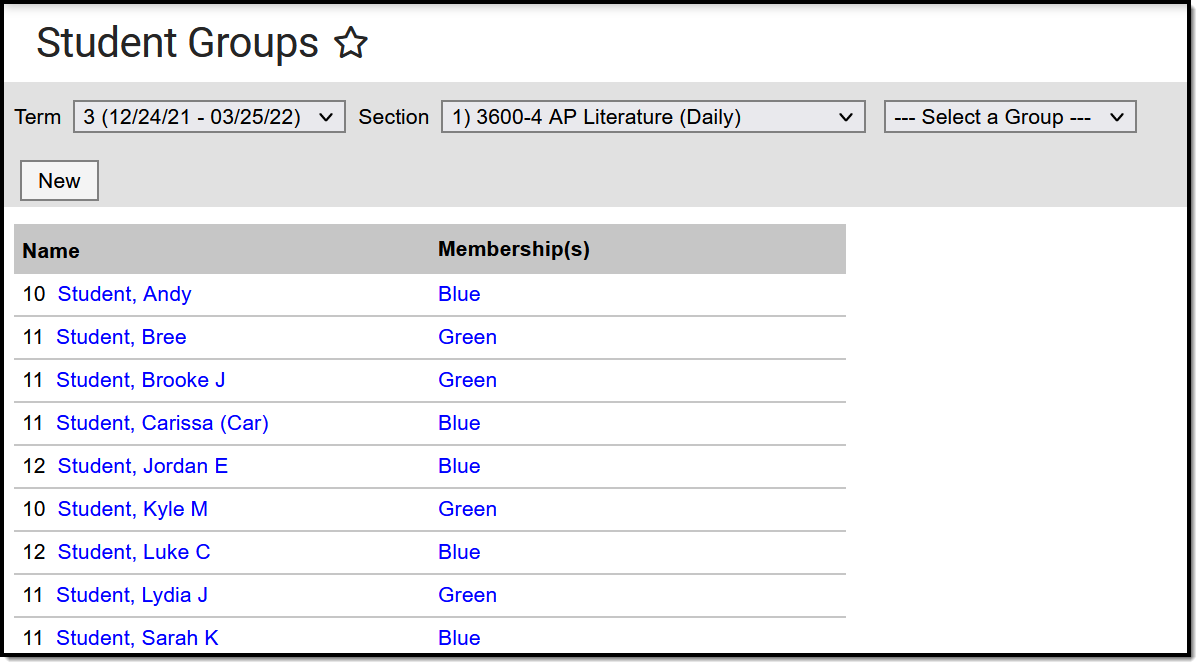
One such tool is the "Student Groups" option, which allows teachers to divide a class into small groups for an assignment or to simply have as a record to refer to for classroom activities. For example, you might create a roster of accelerated students who might benefit from more challenging small group work into a "Green" group, as well as students who need more support during reading into a "Blue" group. 

One big selling point, aside from the ability to quickly group students and create rosters, is for GMS/GHS teachers to adapt their gradebook at the same time:

"You can use student groups to give assignments to only a subset of students in a section. Once a group is created, you can select it in the Scheduling/Grading Alignment area of an assignment. The assignment only appears for the students in the selected group; all other students are automatically marked as exempt in the Grade Book."

You wouldn't need to take the time to duplicate the assignment or mark students as exempt--talk about a time saver! What's also great is that the differentiated assignment The link to the directions for Student Groups is here, though keep in mind you will have to login with your Infinite Campus credentials to access.

You can also save time adding assignments in gradebooks that cover students in the same course by using section groups. Infinite Campus shares that "groups make scoring assignments easier by combining matching assignments into shared columns in the gradebook."
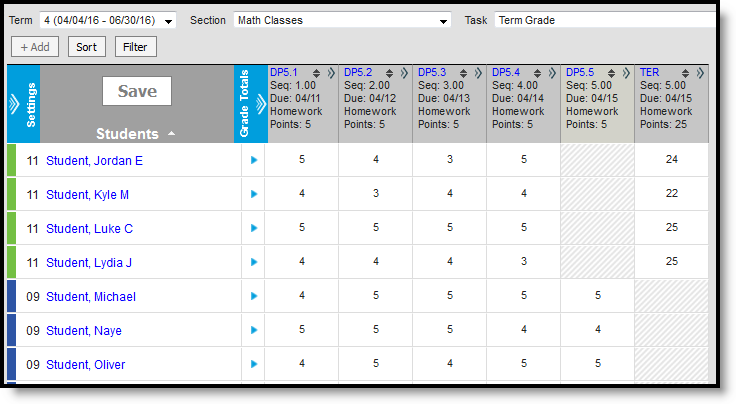
As you can see in the image to the left, the teacher in this example grouped all his math classes into a section called "Math Classes." Instead of toggling between gradebooks, he can create the assignment once for all of those groups, and then he can select that section to score all at once. You can see that the different class sections are denoted by colors (green and blue) on the left hand side.

The link to the directions for Section Groups is here, and again, you will have to login to Infinite Campus to access the directions, with the linked video tutorial and simulation at the bottom of the page.

Finally, you can modify due dates and details for groups using either of these section tools (and for individuals too! See this video for a how to.). 

Want support for setting up student groups? Contact _GPSTLI@griswoldpublicschools.org

Friday, January 20, 2023

Should students sit in rows?

This week's blog post by teacher author Dave Stuart Jr. tackles a question that has been making the rounds more recently as people compare the classroom environment of compulsory rows that COVID protocols demanded to other seating arrangements: should students sit in rows?

Spoiler alert: His answer is, it depends.

In the post, he discusses two seating arrangements: one, is paired rows, with students always having a seating partner, but more or less in columns and rows, and the other is desks grouped into four, all facing each other. He makes the point that by comparison, rows provide less distraction during independent work and a clearer view of the board during direct instruction. And of course, research and common sense supports this.

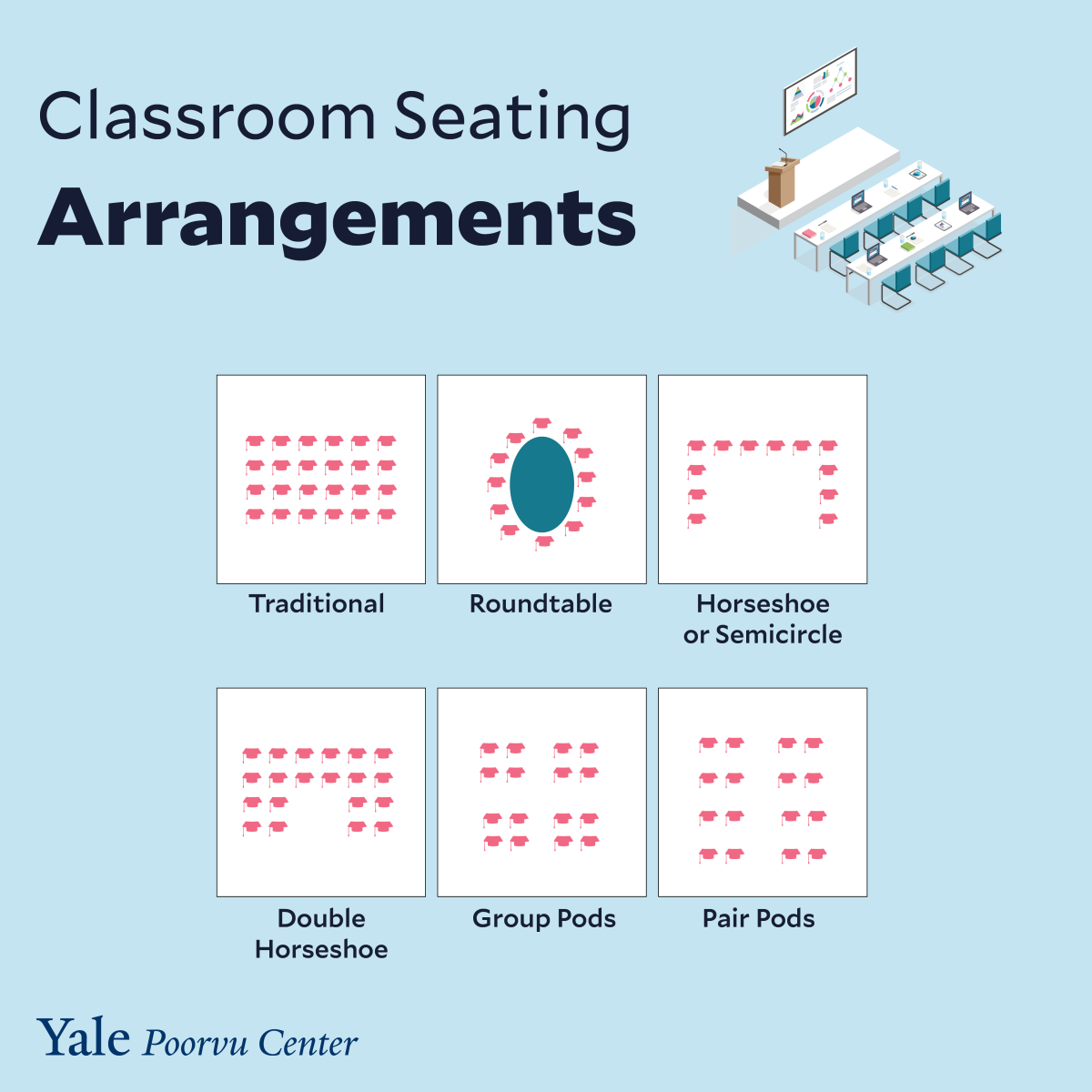
But the post, while pointing out that other seating arrangements may be more beneficial in situations requiring more collaboration, fails to explore any other options, such as the horseshoe or circle, and research, suggests that "'the most effective way to organise a classroom is to be as flexible as possible with teachers regularly moving furniture to suit the activities' (Maddern, 2011) – for example, Harvey and Kenyon (2013) found that students tend to prefer more flexible seating arrangements.

It won't surprise any teacher that research has shown that classroom seating impacts "student learning, motivation,  participation, and teacher-student and student-student relationships (Fernandes, Huang & Rinaldo 2011)." What might be more surprising is that recent research suggests that the set-up of the classroom actually impacts the TEACHER and her pedagogical choices as well; according to the Poorvu Center for Teaching and Learning at Yale: 

For example, a classroom with seating affixed and directed toward a podium at the front of the room results in instructors spending more time in lecture and students demonstrating less active engagement. In contrast, roundtable seating arrangements lead to instructors and students engaging in more active learning activities, resulting in improved learning outcomes (Brooks 2012). 

So what is the answer? It depends. If you are delivering direct instruction, then a clear, unobstructed view of the instructor is best in that moment. However, if you want students to collaborate, seating them with other students is key.

And even with traditional desks, teachers can try to get the best of both worlds. Recent research on elementary seating arrangements supports the horseshoe seating arrangement with flexible seating (i.e. chairs and triangular desks that reconfigure easily). For those with "traditional" desks, the pair square (alternately known as the pair pod) is a style of flexible seating arrangement that gained renewed attention: essentially, students are seated in pairs, but each pair has a pair in front of or behind that they can turn and work with to make a group of four.

What is clear is that if you are thinking of changing up your seating, think about your goals and how your physical space can match your pedagogy. Do you want to create more space for students to Think-Pair-Share? To debate? To collaborate? To create? Then rows might not be the way to go.

Wednesday, November 16, 2022

Dicebreakers: Using Virtual Randomizers to Foster Collaboration

At this week's TLI Committee Meeting, the team highlighted ClassroomScreen as a tool worth using. While we've written about ClassroomScreen before, recent discussions with teachers have highlighted a few needs that this tool can meet with very little effort from teachers. (For more, check out the updated TLI EdTechResource on ClassroomScreen.)

But the real story is that in checking out the ClassroomScreen twitter account, the team stumbled across an engaging idea with many ready-made templates that is EASY to use to foster student collaboration, critical thinking, and bonding: dicebreakers.

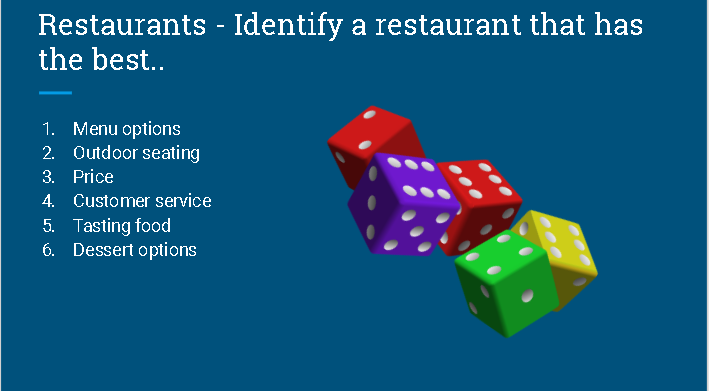
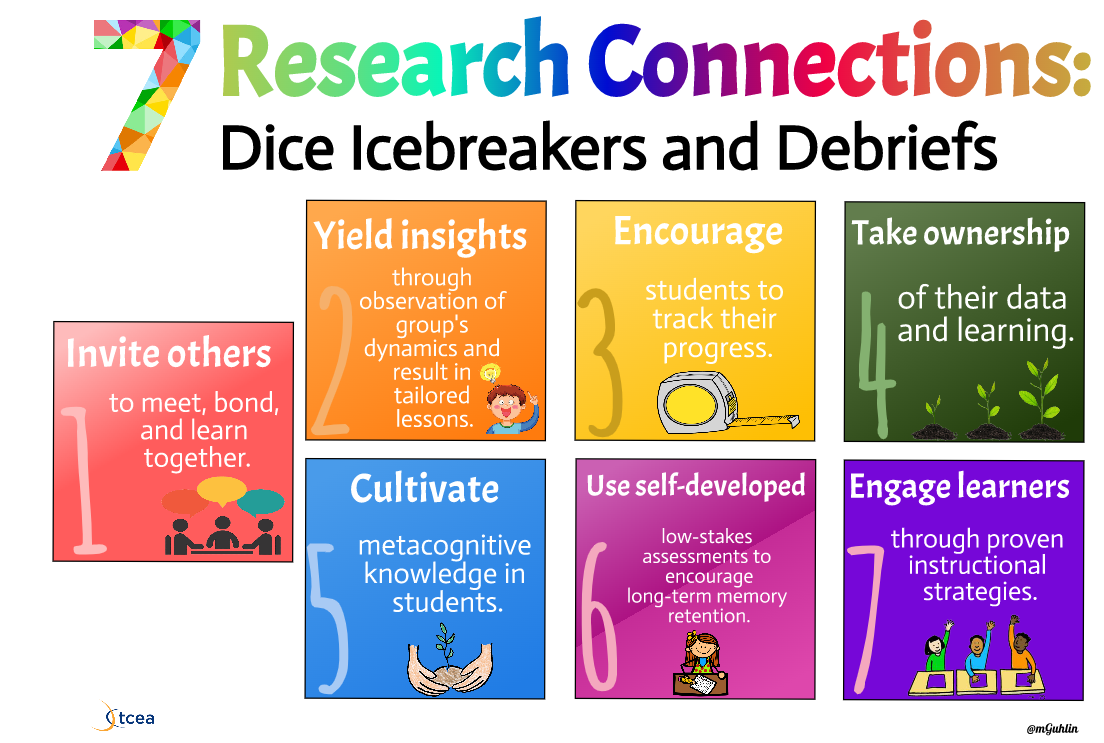
There are many icebreaker resources available online that use dice to spice up getting-to-know-you activities (like this free template), but the TCEA blog showcases many other ways that dice can be used to get students talking and working together. Essentially, dicebreakers allow students the opportunity to brainstorm and talk through their ideas about different parts of a topic without having to discuss the same concept. Using physical or virtual 6-sided dice, this activity provides six different, yet related, talking prompts that encourages in-class discussion. This could be unrelated to content, as with a traditional icebreaker, or it could be related to your business unit!

But the TCEA blog highlights other uses for dice activities that include ideas for debriefs and ready-made templates. Check out their extensive blog post and see which ideas you can use in your classroom next week.

Want more ideas for using dice in the classroom? Check out this post for using giant dice for whole class fun and this WeAreTeachers post for additional ideas to using dice to spice up ELA, math, and even music lessons.


Thursday, March 31, 2022

Maximize your ClassroomScreen

 You planned your lesson for students to work in groups. To do this, you need to sort students, set a timer, and keep students apprised of how their behavior is meeting with expectations.

ClassroomScreen can help you efficiently prepare for this work. 

It's easy to get started. You don't even have to create an account, though you can create a free account and login with Google to save your favorite name list (for easy grouping) and widget preferences.

Show the widgets you use most on any display screen. The app provides useful tools like timers, drawing tools, the random-name picker, and a favorite, the noise-level monitor. You can also embed media, like the videos for your favorite brain breaks. 

Access this anywhere. If your class goes to the library or a lab, this screen can pulled up quickly from any screen with an internet connection. 

There are so many uses for this tool!

If you haven't looked at this before, it's worth giving the free version a try. Let TLI know what you think of the tool, or if we can add any materials to our Educational Technology website to clarify how best to use it.


Tuesday, September 14, 2021

Infinite Campus: Gradebook Groups

Has anyone been using "Student Groups" in the gradebook to support their differentiation? 

As we look to harness the full capability of this tool, we noted that "teachers can set up Student Groups, or teams, and create different assignments for each group. This allows teachers to differentiate instruction and graded work for a group of students in the same class." 

It is hard to try out tools when you don't have a gradebook, so if you are a teaching member of our staff, let us know if you are trying this (or are interested in trying this).